If you’ve ever created an AI image and noticed that the head looks perfect but the legs or feet are missing you’re not alone. Many creators struggle with cropped frames, half-body portraits, or awkward compositions. That’s why understanding how to make it full body is essential when generating images.
In this detailed guide, you’ll learn how to write prompts correctly, adjust framing, fix cropping issues, and consistently generate full-body images using AI tools like OpenAI and models such as DALL·E.
Why AI Images Often Cut Off the Body
Before learning how to fix the issue, it’s important to understand why it happens.
1. Default Portrait Framing
Most AI image models are trained heavily on portrait-style photos. When you describe a person without specifying framing, the model assumes you want a headshot or upper-body shot.
2. Missing Framing Instructions
If your prompt doesn’t clearly say “full body,” the model may zoom in automatically.
3. Aspect Ratio Problems
Square images sometimes crop vertical space. If your subject is tall, the feet or head might be cut off.
How to Make It Full Body in AI Image Prompts
Now let’s break down exactly how to make it full body properly using structured prompts.
Use Clear Framing Keywords
Always include strong framing words in your prompt:
Example Prompt:
A full body image of a medieval warrior, standing, head to toe visible, detailed armor, cinematic lighting, wide shot
Notice how “full body” and “head to toe visible” reinforce the framing.
Control the Camera Angle
Camera language helps the AI understand composition.
Use Photography Terms
-
Wide shot
-
Full-length portrait
-
Long shot
-
Vertical composition
Example:
Full-length portrait, wide shot, subject centered, entire body visible from head to toe
The more specific you are, the better your result.
Choose the Right Aspect Ratio
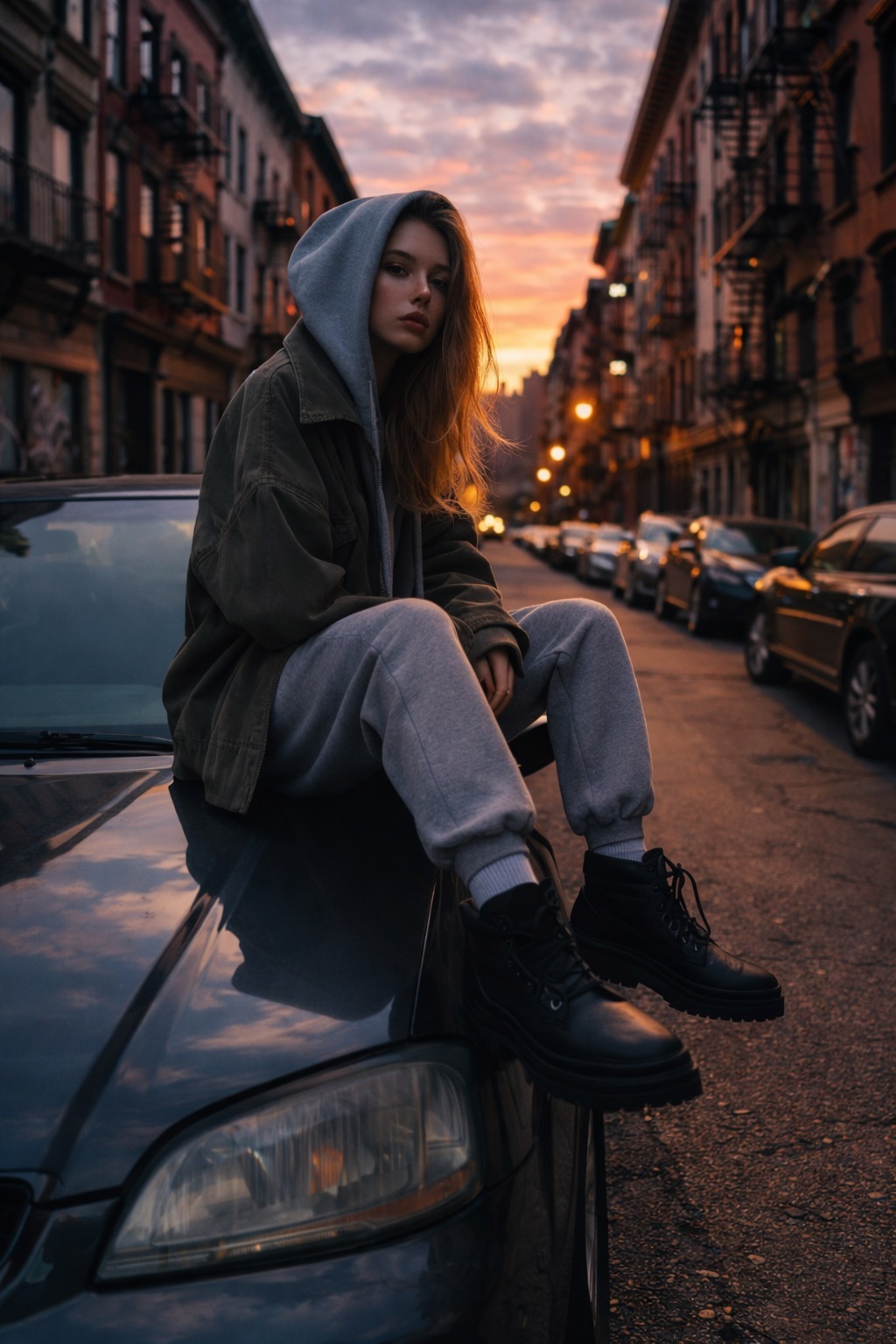
Aspect ratio plays a major role in full-body images.
Best Ratios for Full Body
Vertical formats allow more height, preventing foot cropping.
If your tool allows custom ratios, always choose a vertical layout when trying to make it full body.
Add Positioning Instructions
Sometimes the AI zooms too close. To fix this:
Add Spatial Cues
Include phrases like:
Example:
A full body fashion model, standing on the street, visible shoes, space above head, vertical composition, wide framing
This tells the AI to avoid cropping.
Avoid Overloading the Prompt
If your description focuses too much on facial detail, the AI may zoom into the face.
Instead of:
Ultra detailed face, cinematic close-up lighting
Use:
Detailed outfit, full body view, balanced focus
Keep attention on the whole body—not just the face.
Step-by-Step Structure to Make It Full Body
Here’s a simple formula you can follow:
Step 1 – Start with Framing
“Full body image of…”
Step 2 – Add Pose
“…standing, walking, sitting, centered…”
Step 3 – Confirm Visibility
“…head to toe visible…”
Step 4 – Add Composition
“…wide shot, vertical composition…”
Step 5 – Add Style
“…cinematic lighting, realistic, detailed…”
Complete Example Prompt
Full body image of a cyberpunk character, standing confidently, head to toe visible, wide shot, vertical composition 2:3 ratio, neon city background, cinematic lighting, ultra detailed outfit
This structure significantly increases your chances of getting a true full-body image.
Common Mistakes When Trying to Make It Full Body
❌ Only Writing “Full Body” Once
Reinforce it with multiple framing cues.
❌ Using Square Aspect Ratio
Vertical works better for tall subjects.
❌ Focusing Too Much on the Face
This causes zoomed-in portraits.
❌ Not Mentioning Feet or Ground
The model may cut off legs.
Advanced Tips for Better Results
If you still face issues, try these:
1. Add Negative Prompts (If Supported)
Example:
No cropped frame, no close-up, no cut legs
2. Regenerate with Minor Edits
Sometimes small wording changes fix framing.
3. Adjust Camera Distance
Try:
-
“Shot from a distance”
-
“Entire body in frame”
-
“Camera pulled back”
When Using AI Platforms
Different platforms interpret prompts slightly differently. If you’re using tools powered by OpenAI technology, the core rule remains the same: be clear, structured, and descriptive.
Modern models respond very well to structured framing instructions, especially when you combine composition, pose, and visibility cues together.
FAQs
Why does my AI image always crop the legs?
Because the model defaults to portrait framing. You need to explicitly mention “full body” and “head to toe visible.”
What is the best aspect ratio for full-body images?
A vertical ratio like 2:3 or 9:16 works best since it gives more vertical space.
Should I repeat “full body” in my prompt?
Yes. Reinforcing framing terms increases accuracy.
Can I fix cropped images after generation?
Some platforms allow outpainting or canvas expansion. If available, extend the frame downward and regenerate missing parts.
Does adding “wide shot” help?
Yes. Camera terms like “wide shot” or “long shot” strongly improve full-body results.
Conclusion
Learning how to make it full body is not complicated—but it does require clarity. AI models respond to precise instructions. When you combine framing keywords, vertical aspect ratios, spatial positioning, and camera language, you dramatically improve your results.
Instead of hoping the model understands what you want, guide it step by step. Write structured prompts. Reinforce visibility. Control the composition.
Once you master this method, generating consistent full-body images becomes simple, predictable, and professional.
Read also: Revolutionize Your Sora Videos: A Comprehensive Guide to Watermark Removal and Dynamic Creation